Why your Apple Watch zone 2 differs from a calculator
Two zone 2 estimates can disagree because they use different formulas, inputs or definitions. Compare the actual beats-per-minute boundaries and calculation method before treating a mismatch as a device error.
Separate three different questions
First: what heart rate did the device record? Second: which range did the software label zone 2? Third: how closely does that range describe your physiology? Those questions require different evidence.
Changing a formula changes the label applied to the same reading. It does not repair a sensor signal, and it does not prove that the new range is a laboratory-measured threshold.
A worked example: same person, different arithmetic
Consider an illustrative maximum heart rate of 180 beats per minute and resting heart rate of 60. A 60–70% maximum-heart-rate calculation produces 108–126 bpm. Applying the same percentages to heart-rate reserve, then adding resting heart rate, produces 132–144 bpm.
The arithmetic is different because the reserve is 180 minus 60, or 120. Neither illustrative range is a recommendation for you. These examples also do not claim to reproduce Apple's current automatic zone algorithm.
| Illustrative method | Lower bound | Upper bound |
|---|---|---|
| 60–70% of maximum | 180 × 0.60 = 108 | 180 × 0.70 = 126 |
| 60–70% of reserve + resting | 60 + 120 × 0.60 = 132 | 60 + 120 × 0.70 = 144 |
Check your actual Watch settings
Apple documents automatic and manual Heart Rate Zones. Review the mode and boundaries on your device, using the official instructions for your software version. Compare those values with the calculator's stated method and inputs.
Do not change a range solely to make two screens agree. Matching displays may be convenient, but that is not evidence that the resulting training intensity is appropriate for you.
What research says about the uncertainty
Meixner and colleagues studied 50 cyclists using laboratory tests and compared common intensity markers. Fixed percentages of maximum heart rate did not neatly represent every person's metabolic response. The study supports caution about treating formula-based zones as precise individual thresholds.
It does not validate one app's zones, establish an ideal range for every population or prove that another method always solves the problem. If an accurate physiological threshold matters to your training or medical care, an appropriate professional assessment is a different tool from a consumer calculator.
Evidence: Meixner et al. (2025): individual variability in zone 2 intensity markers
Use consistent comparisons
When comparing workouts, note whether the zone method or boundaries changed. A change in counted zone minutes could reflect new settings rather than a sudden change in fitness. Comparing one method consistently makes the story easier to interpret.
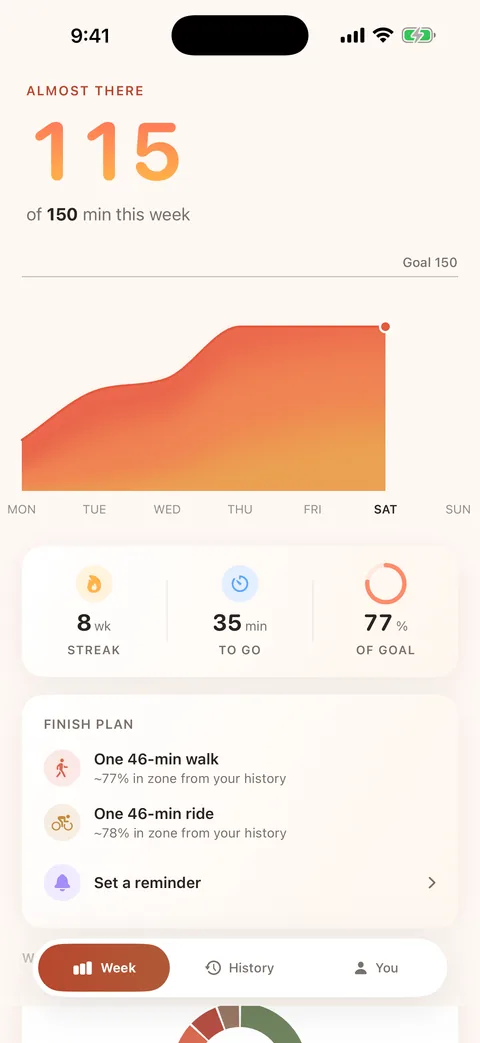
Base's zone engine includes heart-rate-reserve, percentage-of-maximum and custom-boundary methods. That flexibility is not a claim of laboratory accuracy or automatic equivalence with Apple's zones. A weekly total is meaningful only in the context of how it was calculated.
Sources & further reading
Source types matter: public-health guidance, product documentation and individual studies answer different questions. These sources do not endorse Base.
- Apple: view Heart Rate Zones on Apple WatchOfficial product documentation
- Meixner et al. (2025): individual variability in zone 2 intensity markersLaboratory study · 50 cyclists
From one workout to a weekly habit
Base is a zone 2 cardio tracker for iPhone and Apple Watch, designed to gather supported minutes from your recorded workouts into a weekly view. Health data stays on your devices. Base is preparing for launch; joining the list below is not an app download.