Apple Watch · 6 min read
The best zone 2 apps for Apple Watch, and what each one is for
For counting your zone 2 minutes each week, the dedicated apps are Base (ours) and Zone 2: Heart Rate Training. Zones for Training is the pick for heart rate zone reports, with a free version and a
How we checked
Between 8 and 11 November 2026 we installed each app on an iPhone, connected Apple Health and went through its main screens; we also looked at the rivals' paid offers. We did not test the other apps' Apple Watch apps; their Watch features below come from each App Store page or Apple's own user guide. Ratings are from the US App Store on 11 November 2026; free versions and trials are as we saw them between 8 and 11 November 2026. For current prices, see each app's App Store page.
Base is our app. We have tried to describe the others as fairly as we would want ours described.
Quick comparison
| App | Counts weekly | Free to try | App Store rating (11 | |
|---|---|---|---|---|
| Base | Yes | Yes, zone 2 minutes | No free version; | 5.0 from 3 ratings |
| Zone 2: Heart Rate Training | Yes | Yes, four separate zone goals | Free download; subscription with a free trial (free features not checked) | 4.6 from 244 ratings |
| Zones for Training | Not as zone 2 minutes in what we tested: the weekly goal counted workout time. Pro lists weekly time in zones (not tested) | Yes, weekly goals | Free version; Pro is a | 4.8 from 19,240 ratings |
| Athlytic | No weekly zone 2 total found; shows weekly guideline activity minutes | No weekly zone goal found | Free version; free trial on Pro | 4.8 from 11,258 ratings |
| Gentler Streak | No weekly zone 2 total found | No weekly minutes goal found | Free version; Premium by subscription or a lifetime purchase | 4.7 from 8,834 ratings |
| Apple Workout app | Zones per workout; no weekly total described in Apple's guide | None described | Free, built in | — |
Base (ours)
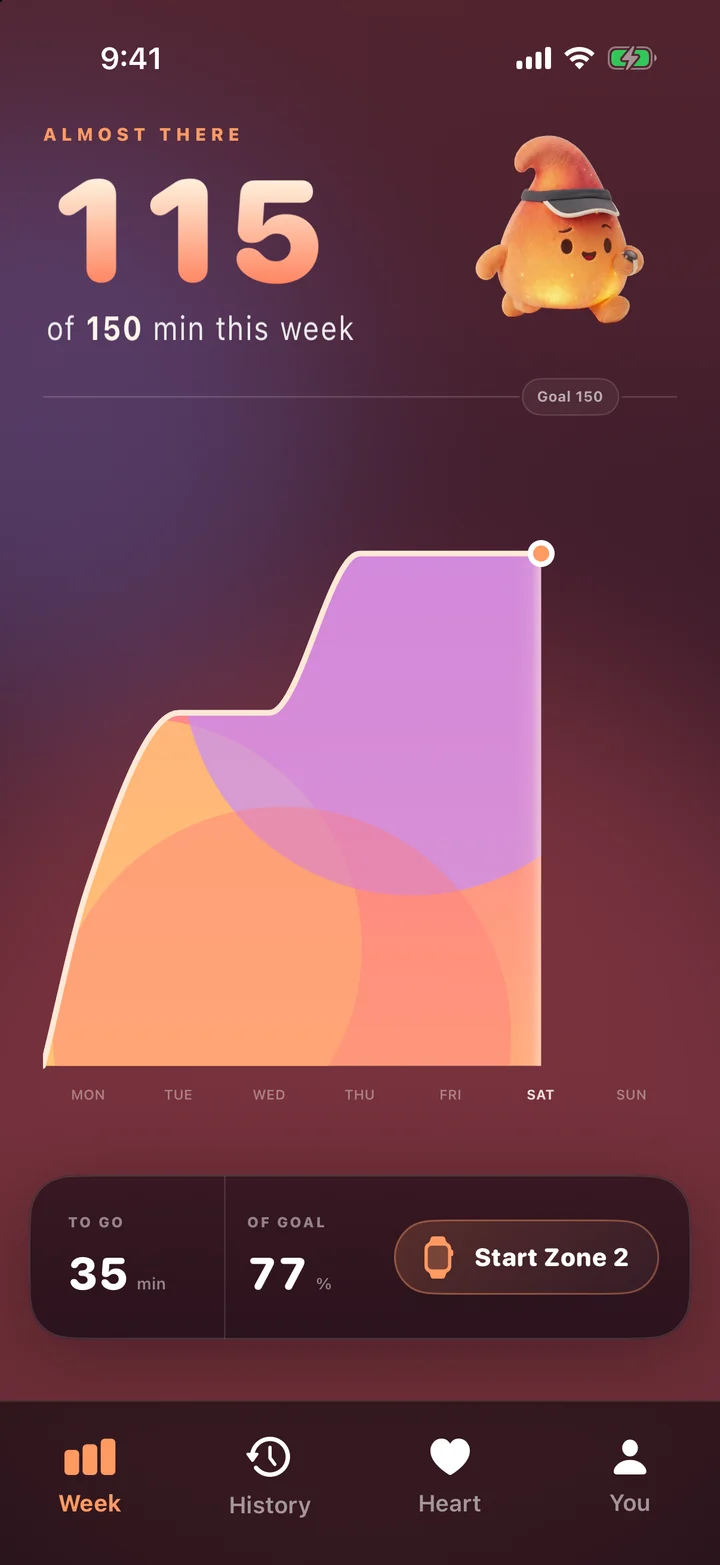
Built for one question: how many zone 2 minutes have you done this week? Base reads your workouts from Apple Health, from any workout app that saves heart rate there, and counts the minutes in your zone 2 range toward a weekly goal you choose. The Week screen opens on minutes to go. You can also start a zone 2 workout in Base on Apple Watch for live guidance.
Your zone 2 range uses your age and, once Apple Health has enough readings, your resting heart rate; you can also choose another method or enter your own limits. iPhone widgets and Apple Watch complications show your week. No account needed.
Who it's for: people who already exercise with a Watch and want one number for the week.
Worth knowing: it does one job. It isn't a recovery or sleep app, and it needs a subscription after the trial; there's no free version. It had 3 US App Store ratings on 11 November 2026.
Zone 2: Heart Rate Training
The closest app to Base. Its Progress screen leads with this week's minutes in zone 2, and the previous week is a tap away. You set four separate weekly zone goals during setup. It reads every workout saved to Apple Health with heart rate, according to its App Store page, which also lists a Watch app with live zone totals and haptic alerts, Home and Lock Screen widgets, chest strap support and Strava upload. It has a VO2 max chart in Trends.
Who it's for: people who want goals for several zones, a chest strap, or Strava upload.
Worth knowing: setup asks you to choose a focus, set goals and review your zones before you start.
Zones for Training
A heart rate zone app with the most ratings of any here. It shows this week's total against a weekly goal, workout history with time in each zone, and free insights. It uses four zones (Warm Up, Fat Burn, Cardio, Peak) by default rather than naming zone 2. Changing zones, Stats and custom workout templates need Pro, a
Who it's for: anyone who wants workout zone reports and would rather pay once.
Worth knowing: the weekly goal we looked at counted workout time, not zone 2 minutes.
Athlytic
A daily coaching app: its Today screen leads with Recovery, Sleep and Exertion scores. You can set heart rate zones by percent of maximum or heart rate reserve and edit them. Time in each zone per workout is part of Pro. Its weekly activity card shows guideline minutes (moderate, with vigorous counting double), not zone 2 minutes, and we found no weekly zone goal. It shows a Cardio Fitness (VO2 max) card in Trends.
Who it's for: people who want a morning recovery score more than a weekly cardio count.
Gentler Streak
An activity app built around a daily Activity Path and a recommendation for today, rather than zones. Its activities view shows weekly duration, energy and distance. It explains heart rate zones in Profile; we found no zone editor and no weekly zone 2 count in the free app. Its App Store page lists
Who it's for: people who want a daily answer on whether to move or rest.
Apple's Workout app (free)
You may not need an app at all to see your zone. Apple Watch shows five Heart Rate Zones during cardio workouts; turn the Digital Crown to the Heart Rate Zone view. You can enter your own zone 2 limits under Settings, Workout, Heart Rate Zones, Manual. After a workout, the Fitness app shows time in each zone. Apple's guide doesn't describe a weekly zone 2 total or goal.
Evidence: Apple Watch User Guide: Heart Rate Zones (watchOS 27)
Which should you pick?
- Want one weekly zone 2 number, from whatever app you record with, as long as it saves workouts with heart rate to Apple Health: Base or Zone 2.
- Want goals for several zones, a chest strap or Strava: Zone 2.
- Want zone reports and to pay once: Zones for Training.
- Want a daily recovery score: Athlytic.
- Want a daily
move-or-rest answer: Gentler Streak. - Just want to see your zone during a workout: Apple's Workout app.
Count your zone 2 minutes
Base counts your zone 2 minutes from recorded workouts in Apple Health and shows them as a weekly total on iPhone and Apple Watch. Keep the minutes coming week after week, and watch your Apple Watch VO₂ max estimate over months.
Sources & further reading
Source types matter:
- Apple Watch User Guide: Heart Rate Zones (watchOS 27)Versioned official documentation · checked November 11, 2026
Your
Explore the benefits and science · See how Base works · Read the privacy notice