Apple Watch · 4 min read
Zone 2: Heart Rate Training vs Base: two weekly zone 2 apps compared
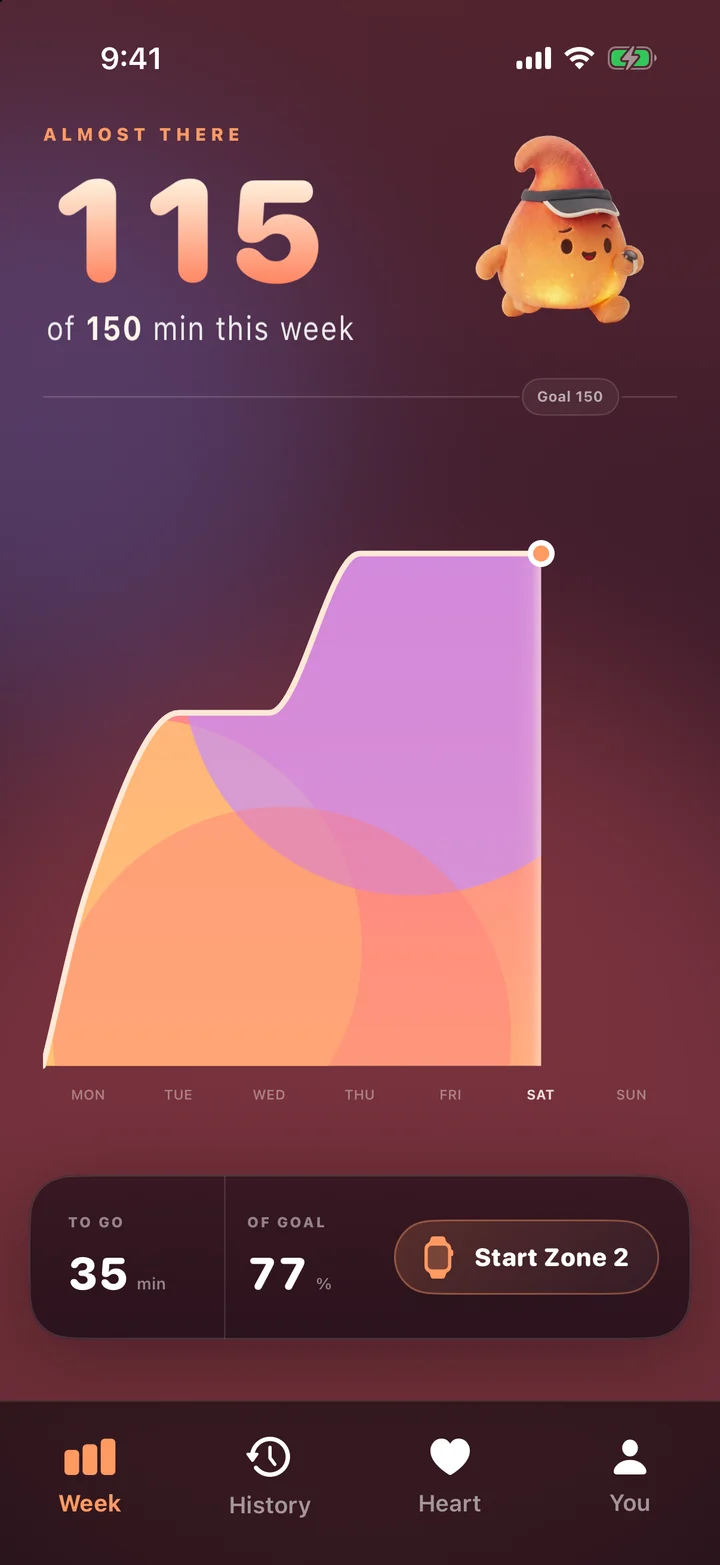
Both apps count your zone 2 minutes each week from workouts in Apple Health. Zone 2: Heart Rate Training lets you set goals for several zones, and its App Store page lists chest strap support and Strava upload. Base (our app) keeps to one weekly zone 2 goal and opens straight on minutes to go. Pick Zone 2 for several zone goals, a strap or Strava; pick Base for one weekly zone 2 goal.

How we checked
We installed both apps on an iPhone in November 2026, connected Apple Health and went through the main screens. For Zone 2, that included setup and the paid offer. We did not test Zone 2's Apple Watch app, so its Watch features come from its App Store page. Base is our app.
At a glance
| Zone 2: Heart | Base | |
|---|---|---|
| Weekly zone 2 minutes | Yes: Progress leads with this week's minutes in zone 2 | Yes: Week opens on zone 2 minutes to go |
| Weekly goals | Four separate zone goals, set during setup | One zone 2 goal; its control is one tap away |
| Setup | Choose a focus, set weekly goals and review your zones | Zone 2 range worked out from your age and, once there are enough readings, your resting heart rate; change it later |
| Reads workouts from Apple Health | Yes, every workout with heart rate (App Store page) | Yes, any workout saved with heart rate |
| On Apple Watch | Live zone totals with haptic alerts (App Store page) | Optional zone 2 workout with live guidance |
| Chest strap, Strava | Listed on its App Store page | Base doesn't connect to a chest strap itself; it reads heart rate from Apple Health. It doesn't upload workouts to other services |
| VO₂ max | Chart in Trends | Shown on Base's Heart screen (your Watch's estimate, from Apple Health) |
| Free to try (Nov 2026) | Free download; subscription with a free trial (free features not checked) | No free version; |
| App Store rating (11 Nov 2026) | 4.6 from 244 ratings | 5.0 from 3 ratings |
Evidence: Zone 2: Heart Rate Training on the App Store · Base on the App Store
What Zone 2: Heart Rate Training does well
It's a capable, dedicated zone 2 app. Its Progress screen leads with this week's minutes in zone 2, and last week is one tap back. You can set four separate weekly zone goals, and it has a weekly share card with your zone minutes, total time, distance and workouts. Its App Store page lists a Watch app with live zone totals and haptic alerts, Home and Lock Screen widgets, chest straps such as the Polar H10, and Strava upload. It has a VO₂ max chart in Trends.
If you train with a chest strap, post to Strava, or want goals for more than one zone, Zone 2 covers more.
What Base does differently
Base keeps to one number: zone 2 minutes this week against one goal. Base works out your zone 2 range from your age and, once Apple Health has enough readings, your resting heart rate, and you can change it later. It counts any workout saved to Apple Health with heart rate, and you can start a zone 2 workout in Base on Apple Watch for live guidance. No account needed.
If you want one weekly zone 2 goal, Base offers that.
Which should you pick?
- Want goals for several zones, a chest strap or Strava: Zone 2: Heart Rate Training.
- Want one weekly zone 2 goal: Base.
Count your zone 2 minutes
Base counts your zone 2 minutes from recorded workouts in Apple Health and shows them as a weekly total on iPhone and Apple Watch. Keep the minutes coming week after week, and watch your Apple Watch VO₂ max estimate over months.
Sources & further reading
Source types matter:
- Zone 2: Heart Rate Training on the App StoreApp Store listing · checked November 11, 2026
- Base on the App StoreOur app's App Store listing · checked November 11, 2026
Your
Explore the benefits and science · See how Base works · Read the privacy notice